
Opens instantly
A real native app, not a browser in a box. Around 4 MB on disk, on screen before you finish reaching for the keyboard. Your thought is still fresh when the cursor starts blinking.
A simple notepad and plain text editor for Linux and macOS. It opens instantly, remembers everything, and stays out of your way. No plugins. No AI sidebar. No account. No “What’s new” popup. Just a place to type.
curl -fsSL https://raw.githubusercontent.com/tsubaie/RusTXT/main/install.sh | sh
Why RusTXT
That’s it. That’s the whole pitch.
A real native app, not a browser in a box. Around 4 MB on disk, on screen before you finish reaching for the keyboard. Your thought is still fresh when the cursor starts blinking.
Every keystroke hits disk within half a second. Close the window, kill the process, pull the plug. Open it again and every tab, line and cursor is exactly where you left it.
Tabs, a menu bar, find and replace, a status bar. It’s the notepad you already know, with the same shortcuts as every text editor you have ever used. There is no tutorial because there is nothing to tutor.
Atomic saves, permissions kept, symlinks respected, CRLF or LF preserved exactly. Your text files stay ordinary text files, readable by anything, including your future self.
Recovery
And it never will. RusTXT writes a recovery snapshot within half a second of every edit, so the question is pointless.
Half a second later the text is in the recovery store. No save dialog, no reminder.
Or the process is killed. Or you just close the window without thinking about it.
Every tab, every unsaved line, and even the cursor position are right where you left them.
Features
rustxt notes.txt todo.md. A second launch hands files to the running window.Arabic & right-to-left
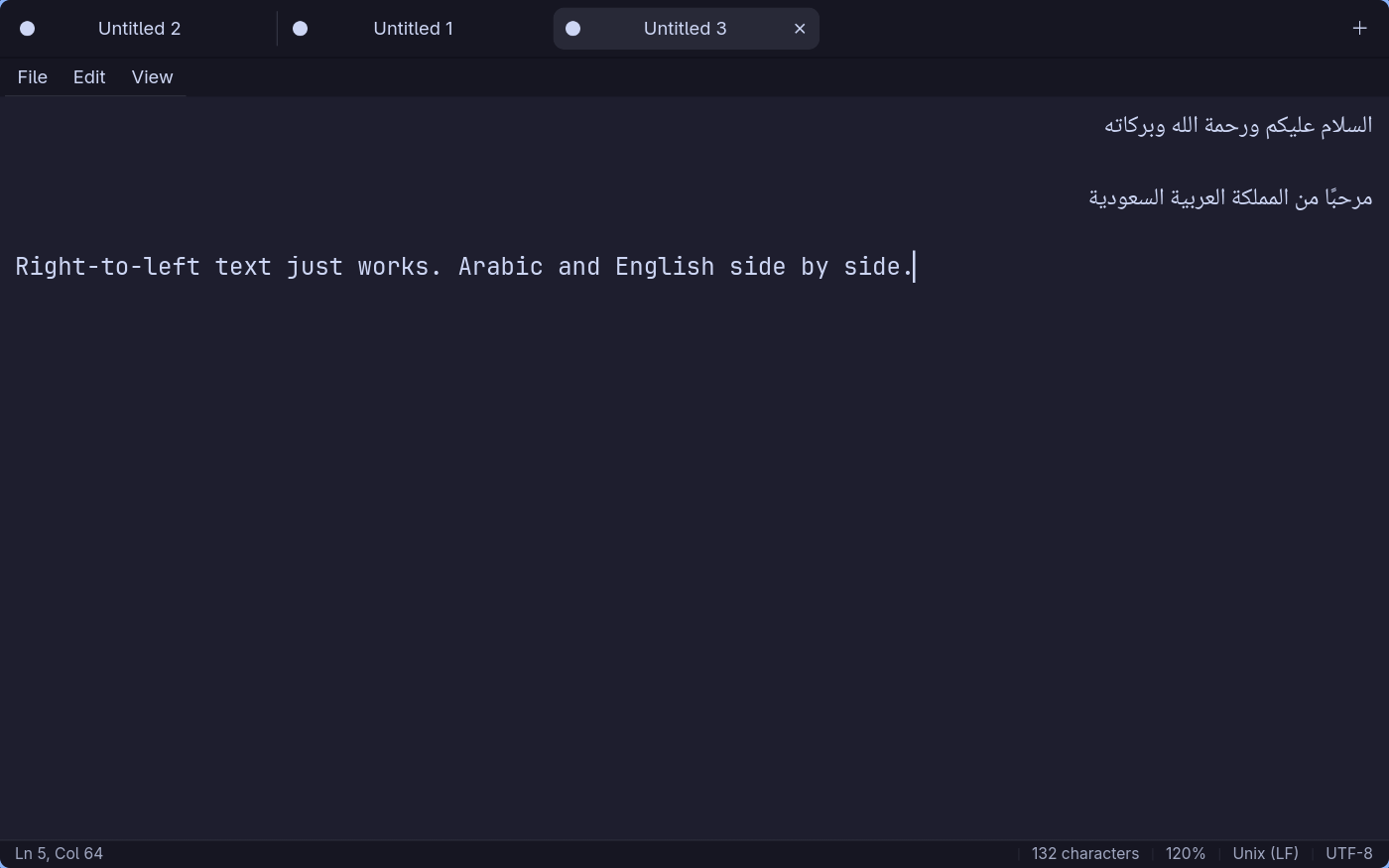
مساحة لأفكارك، بلغتك.
Write in Arabic, mix in English, and keep your train of thought. Right-to-left lines flow and align the right way, and Arabic is paired with Noto Naskh Arabic next to your monospace font automatically. Hebrew and Persian too.
A closer look

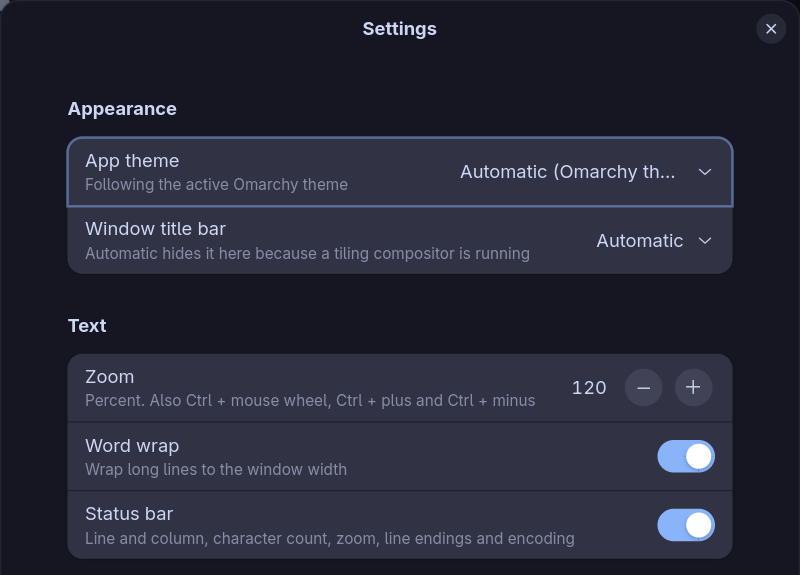
~/.config/rustxt/themes/ to make your own.Keyboard shortcuts
Install
Linux on x86_64. It fetches the latest release for your distro, verifies it against the release’s SHA256SUMS, and installs it with pacman, apt or dnf. It compiles nothing, and the script is short enough to read first.
curl -fsSL https://raw.githubusercontent.com/tsubaie/RusTXT/main/install.sh | sh
| Distro | File | Install |
|---|---|---|
| Arch Linux / Omarchy | rustxt-*.pkg.tar.zst | sudo pacman -U rustxt-*.pkg.tar.zst |
| Debian 13+ / Ubuntu 25.04+ | rustxt_*_amd64.deb | sudo apt install ./rustxt_*_amd64.deb |
| Fedora 42+ | rustxt-*.x86_64.rpm | sudo dnf install ./rustxt-*.x86_64.rpm |
| Any Linux | rustxt-*-x86_64-linux.tar.gz | extract, then ./install.sh |
Needs GTK 4.16, libadwaita 1.6 and GtkSourceView 5 or newer. Every release ships a SHA256SUMS file.
omarchy pkg add gtk4 libadwaita gtksourceview5
cargo install --path crates/rustxt-gtk
sudo apt install libgtk-4-dev libadwaita-1-dev libgtksourceview-5-dev
cargo install --path crates/rustxt-gtksudo dnf install gtk4-devel libadwaita-devel gtksourceview5-devel
cargo install --path crates/rustxt-gtkbrew install gtk4 libadwaita gtksourceview5
cargo install --path crates/rustxt-gtkOr run it straight from the source tree with cargo run -p rustxt.
FAQ
Yes. RusTXT is a plain text editor in the notepad tradition: tabs, a menu bar, find and replace, and a status bar, with nothing else in the way. It adds what a classic notepad lacks, such as autosave recovery, right-to-left text, and themes that follow your desktop.
Yes. RusTXT is open source under the MIT license. Use it, read the source, change it, and contribute on GitHub.
Every keystroke goes to a recovery store within half a second. Close the window, kill the process or lose power, and the next launch brings back every tab, every unsaved line and the cursor position. “Discard changes and close” is the only way to lose text, and it asks first.
Linux x86_64 packages for Arch Linux and Omarchy, Debian 13+, Ubuntu 25.04+, and Fedora 42+, plus a tarball for any other Linux. macOS works through a source build with Homebrew. It needs GTK 4.16, libadwaita 1.6 and GtkSourceView 5.
Yes. Arabic, Hebrew and Persian lines flow and align the right way. Arabic is set in Noto Naskh Arabic next to your monospace font out of the box.
No. The About dialog has a “Check for updates” button that does nothing until you press it. No accounts, no analytics, no popups.
It is a small browser demo of the window, made for this page. The screenshots further down are the real desktop app. Install RusTXT for the native editor and its recovery features.
No account to create. No AI sidebar to close. Just a blinking cursor and whatever’s on your mind.